Scaling Productivity with Claude Code
With the recent release of the latest Claude Code update alongside Opus 4.8, a powerful new feature has emerged: /workflows. After seeing how some power users utilize /deep-research (essentially a specialized workflow) to generate comprehensive research reports—launching over 100 simultaneous agents with clear role division—I began to wonder: Are there specific scenarios where /workflows can fundamentally improve the quality of output in ways that standard agentic loops cannot?
To find out, I looked for tasks that meet two specific criteria:
- Tasks where a 1M token context window is still insufficient, requiring a system that can automatically plan and deploy the exact number of agents needed to overcome "capacity" limits.
- Tasks that are massive in scale but can be decomposed into independent, parallelizable sub-tasks.
After two days of rigorous experimentation (which, predictably, burned through my Claude Code 20x Max weekly limit), I’ve uncovered some high-impact use cases for this parallel agent approach.
Hunting "Ghost Bugs" in Massive Codebases
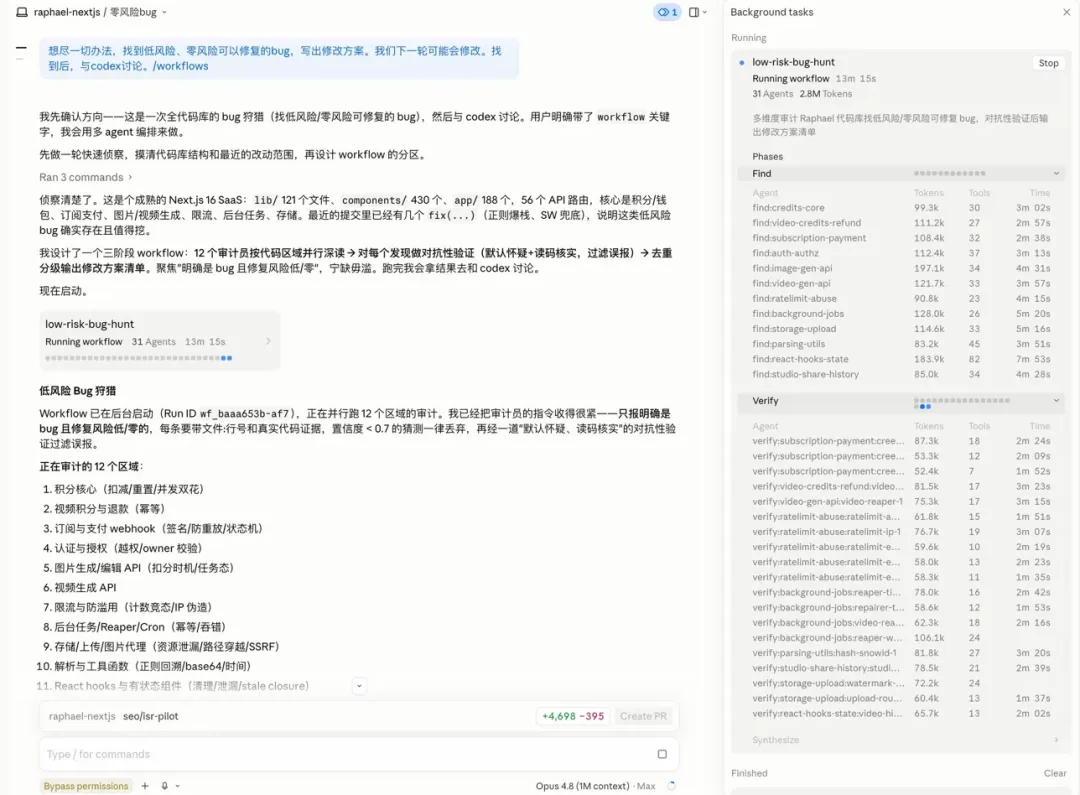
One of the most satisfying experiments involved scanning a complex codebase to find "low-risk, high-reward" legacy bugs. We all know these bugs: they aren't critical or urgent, but they are definitely there. They make you uneasy every time you read the code, yet you hesitate to fix them because you fear a "fix one, break three" scenario. Consequently, they sit there for years.
By triggering /workflows, Claude automatically partitioned the codebase into 12 sections and deployed 31 agents to scan them simultaneously. Some agents focused on broad searching, while others performed deep-dive checks on specific logic, instantly discarding low-confidence leads.
Two hours later, I was presented with a list of bugs that were clearly fixable and long overdue for attention.
Combining /workflows and /deep-research for Complex Problem Solving
I also experimented with a different challenge: "How do others typically solve this specific technical hurdle?"
I noticed a gap: using /workflows alone can sometimes create an information echo chamber, while /deep-research (available in the Claude web version) lacks the ability to read your local codebase.
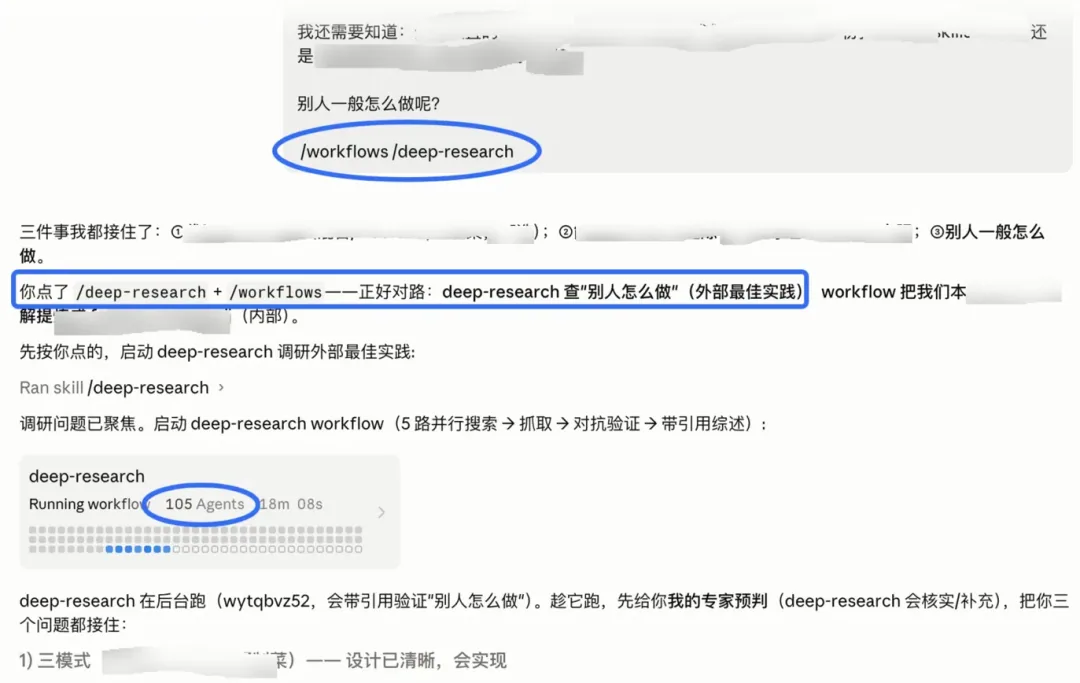
My solution? When facing a complex architectural or technical problem, trigger /workflows and /deep-research simultaneously.
As shown below, a single prompt triggered 105 agents. The results were exceptional—combining deep external research with precise internal code analysis.
Intelligence vs. "Stamina"
Reflecting on these results, I realized something fundamental about current AI limitations. In many cases, the bottleneck isn't the AI's intelligence level—it's its 'stamina.'
No matter how intelligent a model is, it cannot mentally hold and parse every single line of a massive codebase at once. It’s not a lack of brainpower; it’s a lack of capacity. Similarly, no matter how capable an agent is, it cannot edit 50 files simultaneously. It's not a lack of skill; it's a lack of "hands."
/workflows doesn't necessarily make Claude smarter; it makes Claude more.
If you are wondering whether a task is suitable for /workflows, ask yourself: "Is this a problem of intelligence, or a problem of stamina?"
- If the task requires a spark of intuition or consistent, high-level judgment, it is an intelligence problem.
- If the task is something that "one genius might find tedious, but fifty average workers could resolve through division of labor," it is a stamina problem.
In the latter case, applying /workflows (and stacking it with /deep-research) provides a double buff that delivers fast, high-quality results.
Pro Tip for Maximum Impact
If you want the "distilled" version of this experiment: When tackling a hard problem head-on with Claude Code, simply append /workflows /deep-research to your prompt. The difference in output quality is staggering.
Editor's Take
The /workflows feature represents a paradigm shift from writing prompts to designing loops. Since I started using it, my thinking shifted from 'what to instruct' to 'what loop to build.' This isn't just a feature addition — it changes how you interact with AI fundamentally.
Loading...