Replacing Specialized Utility Software
Over the past few days, I've experienced a small but significant shift that perfectly illustrates the impact AI Agents are having on traditional software. It all started with a post I saw on X.
A user had shared a prompt for Codex, asking it to "perform a read-only analysis of a MacBook full scan to optimize storage."
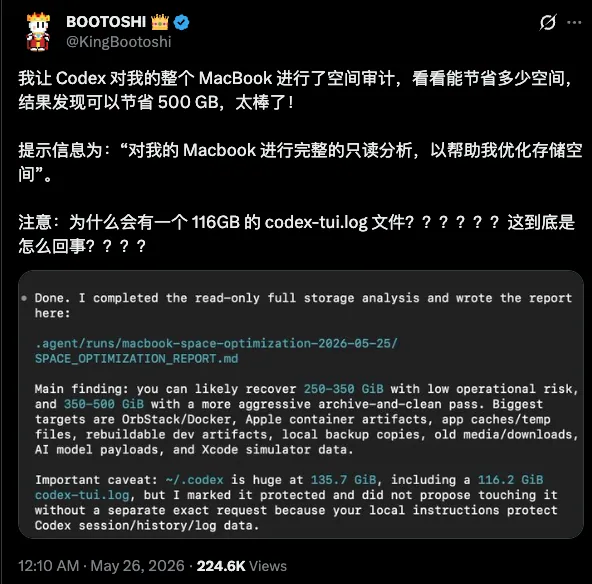
In the post, the user reported that Codex analyzed the MacBook's storage, found 500GB of potential space to reclaim, and even spotted a massive 116GB codex-tui.log file.
At the time, I had been using my MacBook Air for about two years, and it had become a cluttered mess of various installations. I decided to run the same analysis to see if I had any hidden junk files. I used the same prompt and simply added "Please answer in Japanese."
Codex delivered a shocking result.
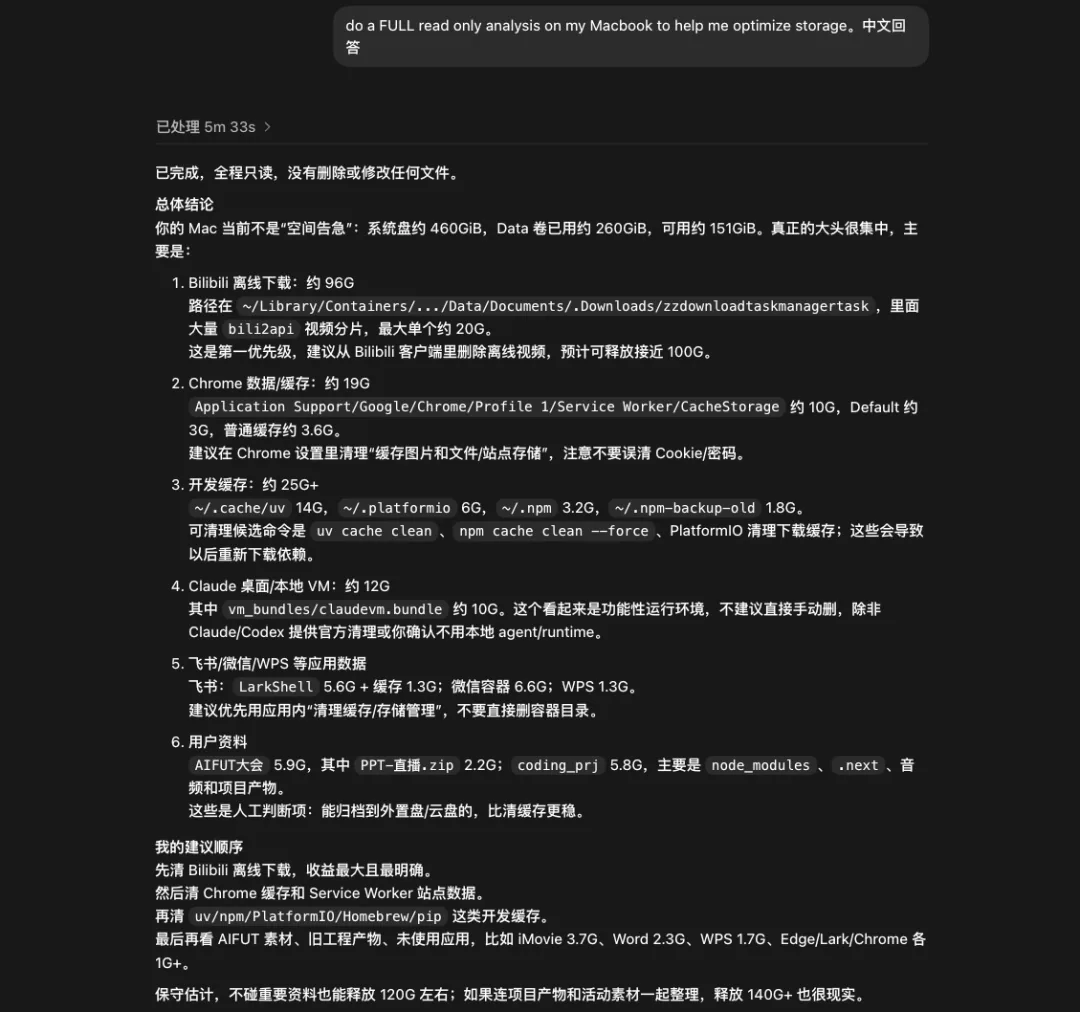
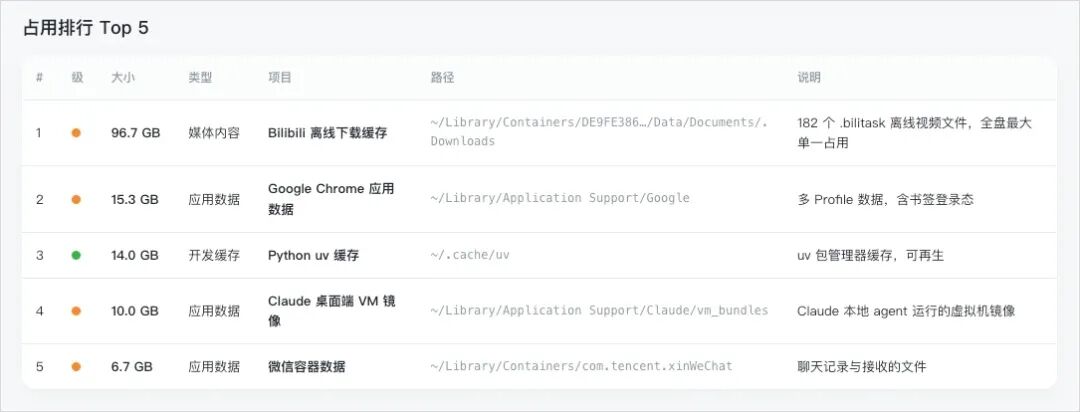
The biggest surprise was the discovery of nearly 100GB of Bilibili video data. It was hidden deep within a Containers folder—something I never would have found without a scan. I realized these were anime and documentaries I had downloaded for a flight long ago; I had fallen asleep on the plane, never watched them, and completely forgotten that the Bilibili client was even installed, let alone its cache.
Other culprits included Chrome, various development environments, and Claude-related data. According to Codex's final estimation, following the list could conservatively free up 120GB, and aggressively more than 140GB.
Now, I'll admit I'm a bit of a "organization geek." I like my PC pristine and my junk files deleted. However, cleaning system junk on a Mac has always been a chore. Back when I started my career in 2017, I discovered a software called "CleanMyMac."
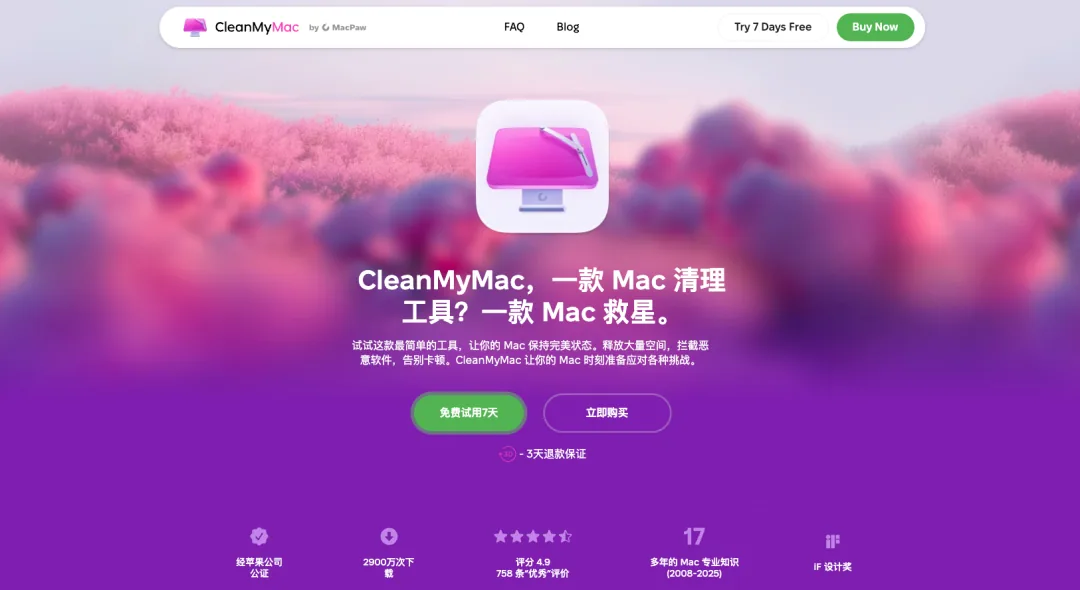
It wasn't free—costing about $40 annually or $120 for a lifetime license. As a fresh graduate, I couldn't afford it and ended up hunting for cracked versions with limited functionality. To this day, there aren't many great tools for deep cleaning Mac junk. The same applies to Windows, where many rely on security suites like 360 Total Security for cleanup.
But now, AI Agents are becoming capable of doing this work directly. Essentially, junk cleaning is just a UI wrapper around a process of scanning and manipulating the lower levels of the OS. It seems far smarter to let an Agent handle this directly.
I decided to build a solution. The original prompt had a flaw: it functioned as a professional read-only document, providing a list of space-hogging files and some vague suggestions. For a non-technical user, seeing that report might actually be scary—they wouldn't know what is safe to delete, what requires manual verification, or what must never be touched. Furthermore, it lacked the actual functionality to delete files.
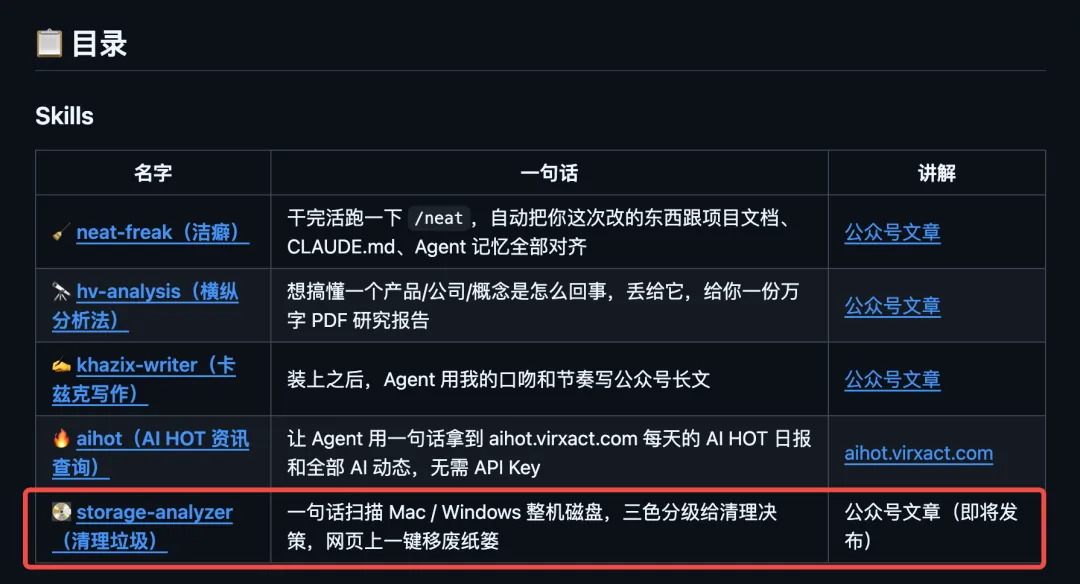
To fulfill my nine-year-old dream of a perfect cleanup tool, I created a "Junk Cleanup Skill" from scratch. It works on both Mac and Windows.
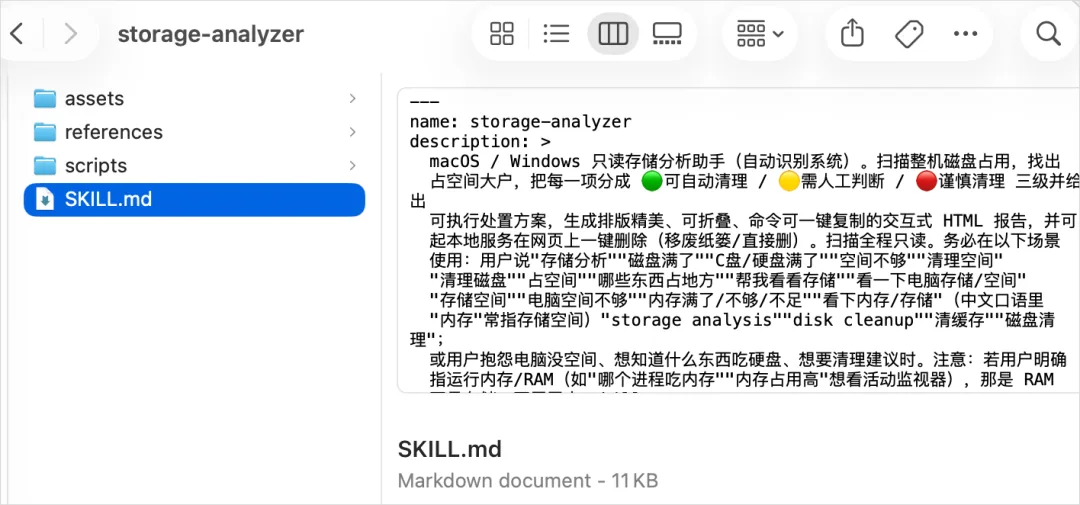
As always, I've made this open-source and available in my GitHub skills repository: https://github.com/KKKKhazix/khazix-skills
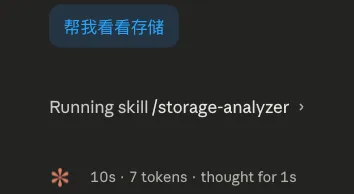
Here is how it works on my MacBook Air. For example, simply telling the Agent to "Check my storage status" triggers the skill.
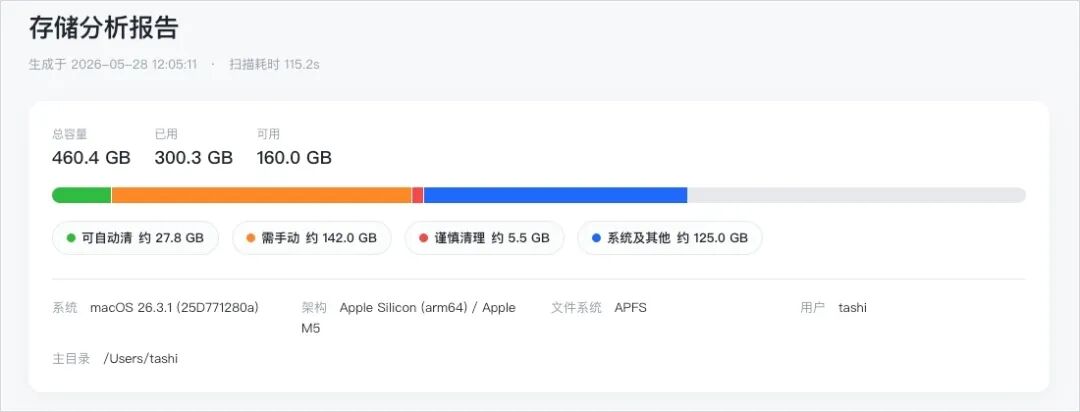
The Agent requests the necessary permissions, scans the local files, and finally opens an interactive HTML report in the browser. This makes the status easy to grasp, and cleaning can be executed via simple buttons on the webpage.
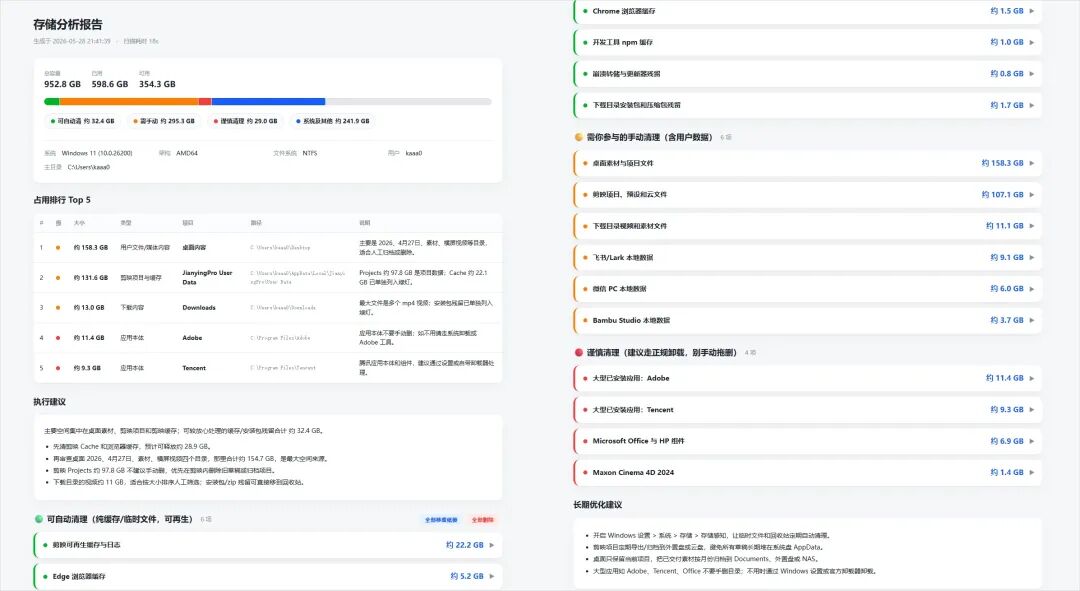
It's incredibly practical—sometimes even more effective than paid professional cleaning software. The scan takes only a few minutes. The final webpage is divided into several sections.
First is the Disk Overview. Total capacity, used space, and remaining space are displayed via intuitive progress bars. The system environment is also scanned to ensure the subsequent cleaning commands are compatible.
Next is the Top 5 Storage Ranking. Similar to the initial prompt analysis, the Bilibili offline cache topped the list at 96.7GB, followed by Google Chrome app data. Each item includes a color-coded label, file type, full path, and a one-line description.
Below that are Cleaning Suggestions prioritized by effectiveness. The biggest "win" was deleting those old Bilibili videos. Following the "green light" (safe) suggestions could reclaim about 27GB.
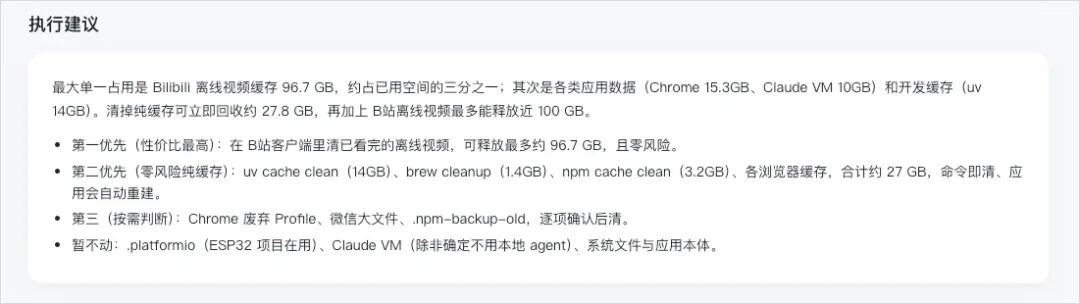
To solve the uncertainty of how to actually delete these files, I implemented the core of the skill: the Three-Stage Color Grading section.
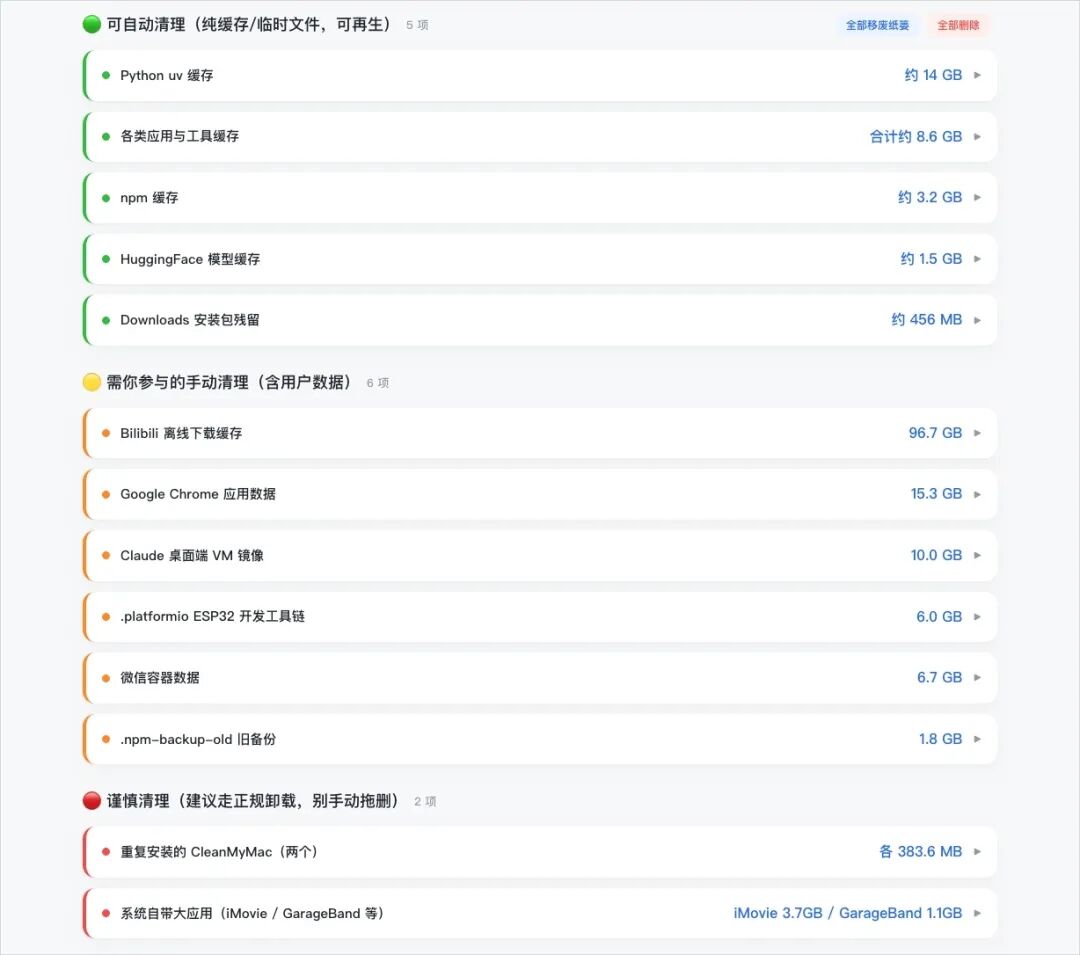
🟢 Green Light: Safe to let the Agent handle. These are pure caches, temporary files, or installer remnants—large files that do not affect functionality. Each item can be expanded to show the path, whether a process needs to be killed first, and the exact cleaning command. I've included a copy button if you'd rather run the command manually.
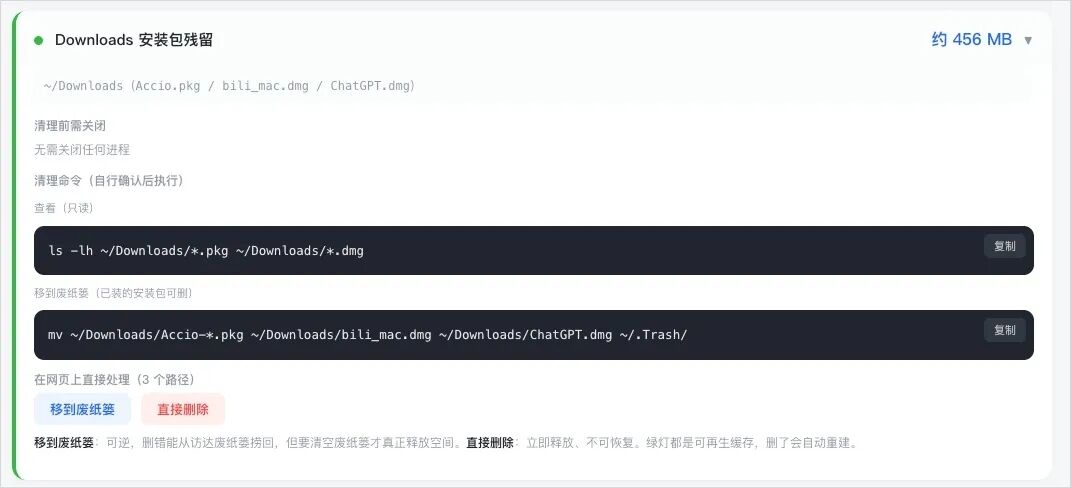
There are two action buttons: "Move to Trash" and "Delete Permanently." Clicking either triggers a confirmation popup.

"Move to Trash" is reversible, while "Delete Permanently" frees space immediately but cannot be undone. For instance, moving a few installer files to the trash is a quick, safe operation.
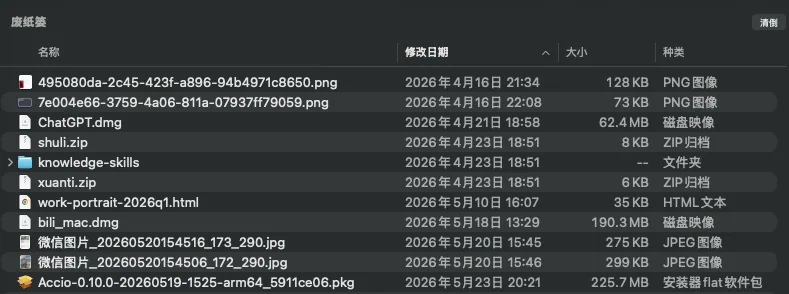
Once done, the status on the webpage updates in real-time to "Cleaned."

You can also clean all Green Light items at once using the bulk action buttons.
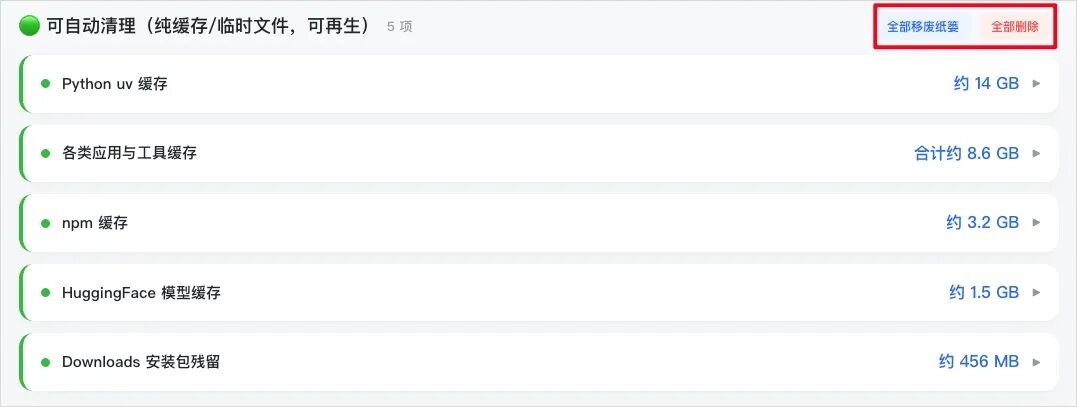
🟡 Yellow Light: Requires human judgment. These include things like downloaded videos, specific project folders, or installers in the Downloads folder. The Agent explains what the file is, why it needs verification, and the potential impact of deletion.

Yellow Light items don't have a direct delete button; instead, they have an "Open in Finder" button. I've also added a "Move Safe Sub-paths to Trash" option for complex folders. For example, in the Bilibili folder, I designed it so you can delete the videos while keeping login info and settings intact.
🔴 Red Light: Critical files. These are system files, core data for active apps, or sleepimage files. The Agent explains why these should not be touched and suggests skipping them.
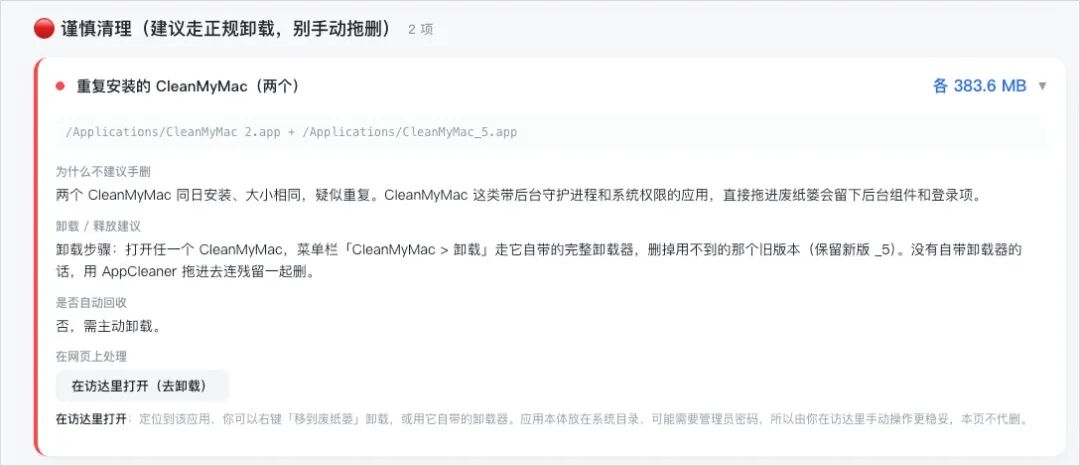
If you absolutely must access them, a Finder link is provided. Finally, the report offers Long-term Optimization Suggestions based on the scan results.

Crucially, the entire scanning process is read-only. No write operations occur until the user explicitly clicks a button and confirms via the browser. I believe in being cautious with AI; adding a manual confirmation layer is essential, even if hallucination rates for these simple tasks are now very low.
After the cleanup, the result was satisfying: about 120GB of space was reclaimed.

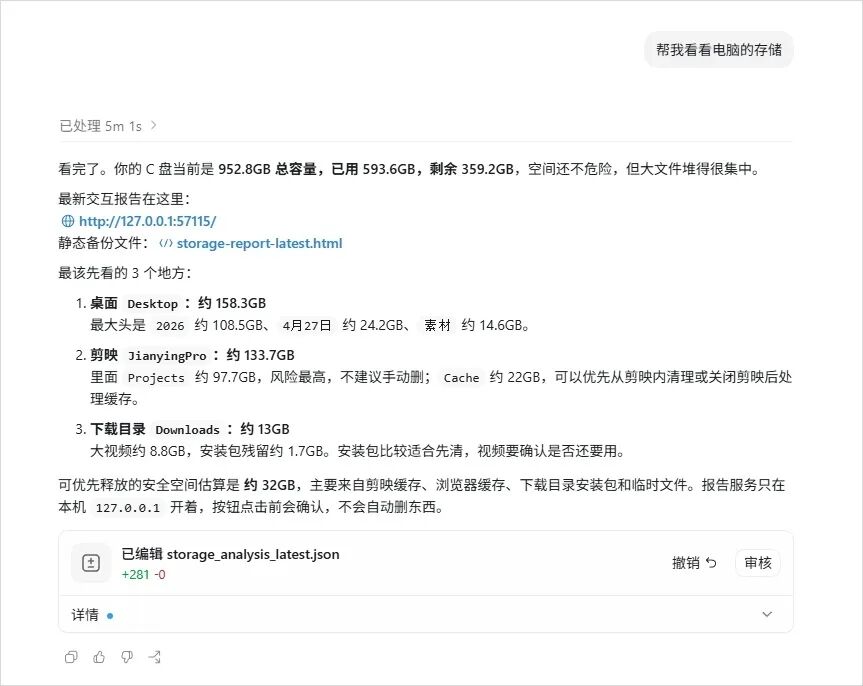
Since this is environment-agnostic, I tested it on a colleague's Windows PC using Codex as well.
Curious about how this compares to professional software, I ran CleanMyMac on my Air before using the AI skill. After 30 minutes, CleanMyMac found 15.8GB of removable junk.

While it categorized junk neatly into system folders, the information was opaque.
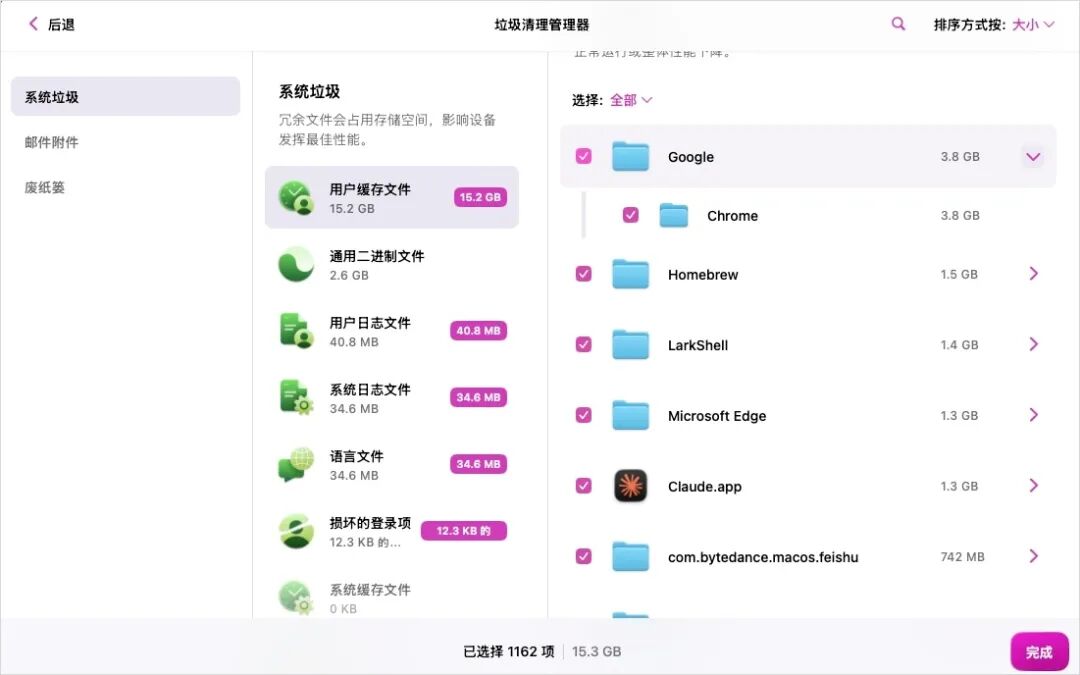
For example, it might flag "Google Chrome 3.8GB" as "user cache files," but it won't tell you exactly what that entails—how much is Service Worker cache vs. IndexedDB, or which sites you'll be logged out of. You have to trust the software blindly. Moreover, because CleanMyMac follows a set of predefined rules, it couldn't detect my massive Bilibili downloads because they didn't fit a standard "junk" pattern.
In contrast, the AI Agent provides far more transparency. It tells you the exact path, size, purpose of the folder, and the consequences of deletion. This level of personalization is impossible for fixed-rule software. You can simply tell the Agent, "I want to find all duplicate PDFs over 50MB," and it will adapt.
This doesn't mean CleanMyMac is a bad product, but the disruption AI Agents bring to utility software is undeniable. I previously wrote that "AI is swallowing all software" and that software is shifting from an asset to a consumable. Software has always been a translation layer between humans and machines; Agents are now closing that gap.
This small cleanup skill proves that future. My PC once had dozens of utility tools: unzippers, PDF editors, image converters, batch renamers. All these tools follow defined rules to perform a single task—the exact area where Agents excel.
Software companies that built their empires on these specific features are no longer competing with other software companies; they are competing with a single user prompt or a single AI skill.
If a skill can clean my junk today, there is no telling what it will be capable of tomorrow. I am looking forward to this future.
Editor's Take
This article is personally engaging and fun, but it also signals an important trend: the moment agents start replacing traditional app functionality. Instead of buying CleanMyMac, you have Codex write a skill — this is a concrete example of the shift from 'app consumption' to 'agent utilization.'
Loading...